Spivi 2.0 – New features and options
Today, as part of our global rolling plan, we released another update to version 2.0 of Spivi Studio, Spivi MetriX and Spivi 365.
Changes made to Spivi 2.0 (rc24):
- The current time is displayed during the workout configuration stage.
- When an instructor is off the bike or is using the privacy settings to hide his/her data off the screen, the average of the class is being displayed on the main workout attributes display (top center tiles).
- Training Zones format can be altered via System Settings -> Simulation -> Training Zones.
The options below are available for selected:
– Extended (Default): <1, 1, 2,3,4,5, >5
– Standard: 1,2,3,4,5
– Coggan: 1,2,3,4,5,6,7 - Structured Workouts: Events handling implemented (notes, metrics views, camera views and challenges control).
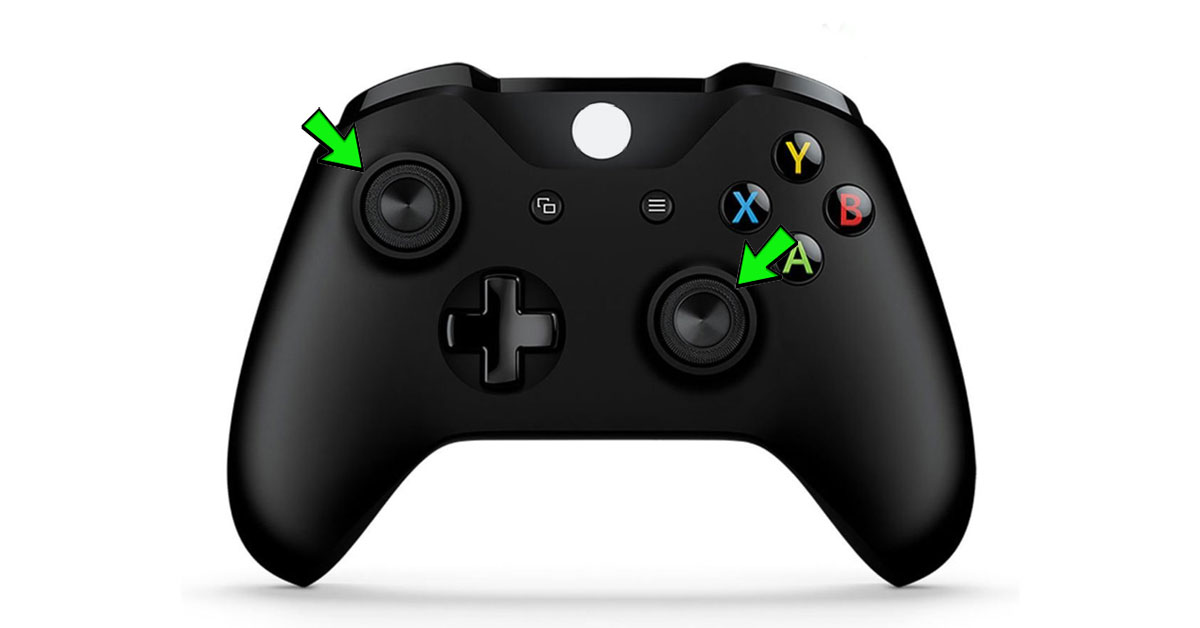
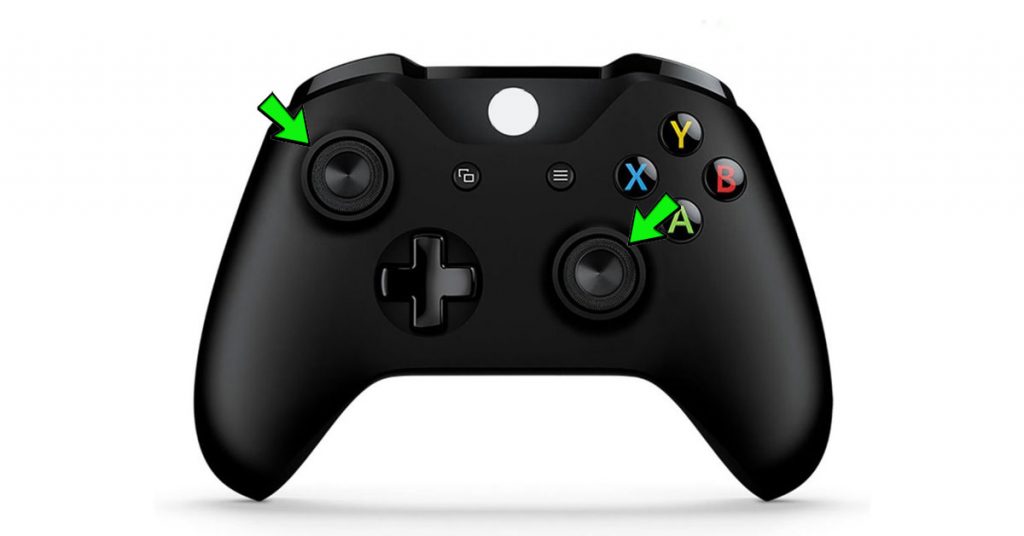
- Commands Menu Shortcuts added :
Left Stick: Opens the challenges menu for an infinite time.
Right Stick: Opens the metrics menu for an infinite time.