December 2024 Updates – Performance Dashboard Additions
Update: Performance Dashboard Additions
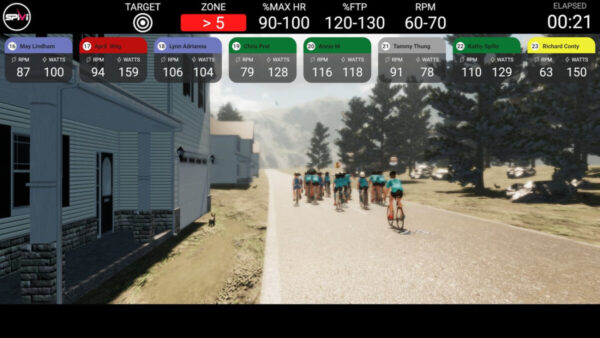
The Performance Dashboard displays real-time performance metrics of the group during the workout. The dashboard shows the relevant metrics such as Power, Cadence, Calories Burned, and Heart Rate. This view is available on the Spivi Studio and Spivi MetriX system and traditionally shows 3 zones. If members are in the zone (green), above the zone (red), and below the zone (gray).
We have recently added the ability to add 5 zones which will now correlate to %FTP if bikes have the ability to show power data, or RPM if they do not.
Here is how you change from one to the other on your Spivi system.
System Settings menu > Metrics > Dashboard Outline
- Zone Index is five zones
- Zone Delta is three zones
Update: Lighting Changes to the Spivi Studio
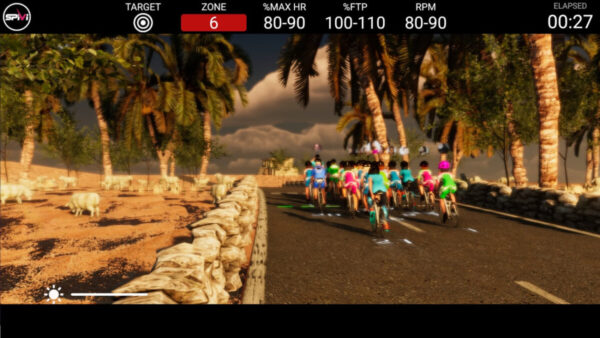
We’ve made an exciting update to our default lighting zones to enhance your members’ visual experience! The lowest lighting zones have been adjusted to avoid dark visual effects, ensuring a vibrant and engaging atmosphere throughout every workout. Your classes just got an extra pop of energy!
Event Attended: FISA EAST 2024
Attending FISA this year was an incredible experience, from discussing the future of fitness tech to brainstorming innovative ways to boost member engagement, every conversation left us energized and excited for what’s ahead.
To everyone we met—thank you for sharing your time, ideas, and enthusiasm.
Let’s keep the momentum going and continue building stronger fitness communities together!