
Heart Rate Zones in Indoor Cycling
Smarter Indoor Cycling Training with Heart Rate, RPM, Power, and %FTP
Heart rate zones are one of the most useful ways to understand effort, intensity, and progress in indoor cycling.
In a perfect setup, indoor cycling bikes include power measurement, also known as watts. Power-based training, especially when combined with %FTP, is usually considered the most accurate way to measure cycling performance because it reflects the actual work a rider produces on the bike.
But not every indoor cycling studio has bikes with power sensors.
When power data is not available, heart rate zones combined with cadence, or RPM, can still provide a very effective way to guide class intensity, coach riders, and track fitness progress over time.
Spivi supports both approaches. Studios with power-enabled bikes can use watts and %FTP for performance-based training. Studios without power sensors can use heart rate zones and RPM to deliver engaging, personalized, and data-driven indoor cycling classes.
What Are Heart Rate Zones?
Heart rate zones are intensity ranges based on a rider’s heart rate. They help show how hard the body is working during exercise.
Most heart rate zone systems are based on a percentage of the rider’s maximum heart rate. As the rider works harder, heart rate increases and the rider moves into higher zones. As the rider recovers, heart rate drops and the rider moves back into lower zones.
This makes heart rate zone training easy to understand during class.
A rider can quickly see whether they are warming up, building endurance, pushing hard, or recovering. Instructors can also use heart rate zones to guide the class with clear intensity targets.
Power Training vs. Heart Rate Training
Power and heart rate are both valuable, but they measure different things.
Power measures output.
Power, measured in watts, shows how much work the rider is producing on the bike right now.
Heart rate measures the body's response.
Heart rate indicates how the rider’s body responds to the workout.
This difference is important.
If a rider increases resistance or cadence, power usually changes immediately. Heart rate responds more slowly because it takes time for the cardiovascular system to react. This is why power is often better for short intervals, sprints, FTP-based training, and precise performance tracking.
Heart rate, on the other hand, is very useful for understanding effort, fatigue, recovery, endurance, and overall cardiovascular response.
In indoor cycling, the best setup is often:
- Power + %FTP for measuring cycling output
- Heart rate zones for measuring physiological response
- RPM for measuring cadence and ride execution
When all three are available, Spivi can give riders and instructors a more complete picture of performance.
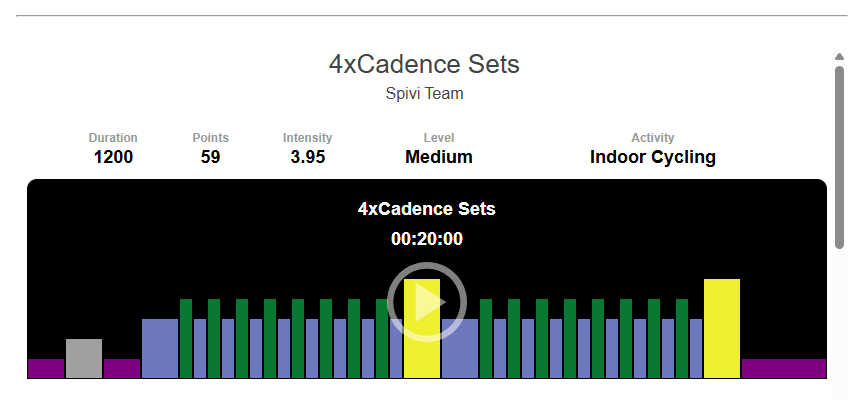
Where Heart Rate Zones Fit
Power is measured in watts. It represents the actual work a rider is producing on the bike.
This makes power one of the strongest metrics for structured indoor cycling training because it reacts immediately when the rider changes resistance, cadence, or effort.
Power is especially useful for:
Sprints
Climbs
Intervals
FTP testing
Performance rides
Rider-to-rider comparisons
Progress tracking over time
Instructor-led target training
FTP, or Functional Threshold Power, is a rider’s estimated sustainable power output for a hard, steady effort. In indoor cycling, FTP is commonly used as a personal benchmark to create training zones.
Instead of asking every rider to hold the same watt number, instructors can use %FTP to personalize the ride.
For example, one rider may be working at 120 watts and another at 260 watts, but both may be riding at 90% FTP. That means both riders are working at a similar relative intensity based on their own fitness level.
This makes %FTP very effective for structured, fair, and performance-based indoor cycling classes.
Training with Power and %FTP
Even when power is available, heart rate zones still matter.
Power tells you what the rider is producing. Heart rate indicates how the rider is handling the effort.
For example, if a rider is producing the same watts as last month but has a lower heart rate, that may indicate improved efficiency. If their heart rate is unusually high at a familiar effort, it may suggest fatigue, poor recovery, dehydration, stress, or that the ride is more demanding than expected.
Heart rate zones help riders and instructors understand:
How hard the rider’s body is working
How quickly the rider reaches higher intensity
How well the rider recovers between intervals
Whether the rider is staying in the intended training zone
How effort changes during climbs, sprints, and endurance segments
How cardiovascular fitness improves over time
This is why heart rate zones remain important in indoor cycling, even in studios that use power-based training.
When Bikes Do Not Have Power Sensors
Not every indoor cycling bike measures watts. Many studios still use bikes that provide cadence data, but not power data.
In that case, heart rate zones become the primary way to measure workout intensity, and RPM becomes an important supporting metric.
Heart rate shows the rider’s effort level. RPM shows how fast the rider is pedaling. Together, they give instructors and riders a practical way to structure the class.
For example:
- A rider may be asked to hold a steady RPM while staying in a green or yellow heart rate zone.
- A climb may use a slower RPM target while riders gradually build into a higher heart rate zone.
- A sprint may use a higher RPM target while riders push toward orange or red.
- A recovery segment may focus on lowering heart rate while keeping the legs moving at an easy cadence.
- This combination helps create purposeful training, even without power data.
Heart Rate + RPM: A Practical Training Model
When power is not available, Spivi can help studios guide indoor cycling classes using heart rate zones and cadence targets.
This gives riders two important pieces of feedback:
Heart rate zone: How hard the body is working
RPM: How the rider is executing the ride
For example, an instructor may coach:
“Hold 80–90 RPM and build into the yellow zone.”
“Stay above 95 RPM for this sprint and try to reach orange.”
“Recover at 70–80 RPM until your heart rate drops back to green.”
“Climb at 60–70 RPM and maintain a strong, controlled effort.”
This makes the class easier to follow and more measurable, even when the bikes do not report watts.
How Spivi Shows Heart Rate Zones in Class
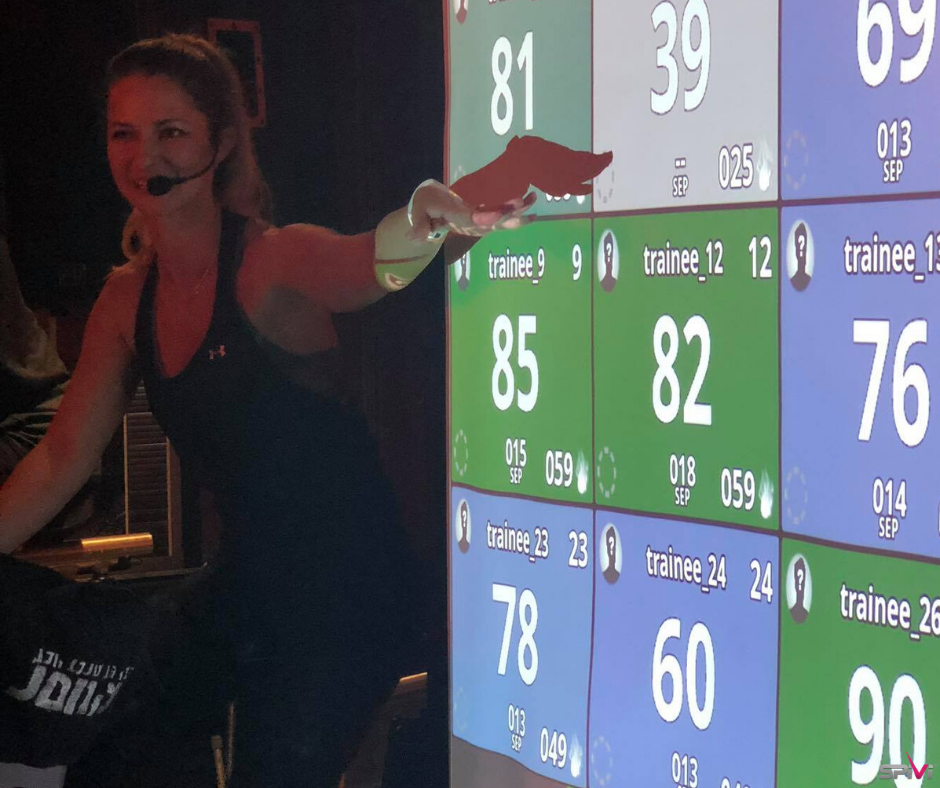
Spivi displays live heart rate data on the studio screen so riders can see their effort in real time.
Depending on the studio setup, Spivi can show heart rate zones together with cycling metrics such as RPM, calories, points, distance, watts, %FTP, and performance rankings.
For power-enabled bikes, Spivi can display watts and %FTP alongside heart rate zones, helping riders compare output with effort.
For bikes without power sensors, Spivi can use heart rate zones and RPM to help riders follow the workout, stay in the correct intensity range, and understand their performance during class.
This creates a clear and motivating experience for the entire room.
Why Heart Rate Zones Matter in Indoor Cycling
Indoor cycling classes include riders with different fitness levels, experience levels, and goals. One rider may be training for performance. Another may be focused on weight management, endurance, general fitness, or simply staying active.
Heart rate zones help personalize the workout.
Instead of relying only on speed, resistance, or how the rider feels, heart rate zones show effort relative to each rider’s body.
This makes the class more inclusive and easier to coach.
Heart rate zone training helps riders:
Understand their effort level
Train at the right intensity
Avoid starting too hard too early
Recover properly between intervals
Stay engaged during class
Follow instructor's targets more clearly
Track fitness progress over time
Compare similar workouts more meaningfully
Using Heart Rate Zones for Coaching
Heart rate zones give instructors a simple and powerful coaching language.
Instead of only saying “push harder” or “slow down,” instructors can guide riders toward specific effort targets.
Examples include:
“Start in the blue or green zone for the warmup.”
“Build into yellow as we add resistance.”
“Hold orange through this climb.”
“Push toward red for the final sprint.”
“Recover until your heart rate drops back down.”
When combined with RPM, this becomes even more effective.
For example:
“Hold 85 RPM and stay in yellow.”
“Sprint above 100 RPM and push into orange.”
“Recover at 75 RPM until your heart rate returns to green.”
This gives riders both a movement target and an intensity target.
Tracking Progress Over Time
Heart rate zones are valuable not only during class, but also after class.
With Spivi, riders can review their workout data and better understand how their fitness is changing over time.
For example, a rider may notice that they can maintain the same RPM with a lower heart rate, recover faster after intervals, spend more time in target zones, or complete a familiar ride with better control.
If power is available, progress may also show up as higher watts at the same heart rate or improved %FTP performance.
If power is not available, heart rate and RPM trends still provide meaningful insight. A rider who can hold higher cadence targets with better heart rate control is likely improving their conditioning and efficiency.
Spivi can help track:
Time spent in each heart rate zone
Average and maximum heart rate
Cadence and RPM targets
Calories burned
Points and effort scores
Recovery between intervals
Consistency across repeated rides
Watts and %FTP when power data is available
Heart Rate Zones, LTHR, and Personalized Training
Heart rate zones are often based on maximum heart rate, but studios can also use more advanced heart rate concepts such as LTHR, or Lactate Threshold Heart Rate.
LTHR helps identify the approximate heart rate a rider can sustain during a hard, steady effort before fatigue increases quickly.
For indoor cycling, LTHR can add another layer of personalization. It helps riders understand how much time they spend below, near, or above their sustainable threshold effort.
When combined with Spivi’s class display and post-workout data, LTHR can help members understand not only how hard they worked, but how efficiently they trained.
Create Better Indoor Cycling Classes with Spivi
Power-based training with watts and %FTP is often the best option when bikes support it. It gives riders and instructors a direct, responsive measurement of cycling output.
But when bikes lack power sensors, heart rate zones combined with RPM can still create a smart, structured, and engaging indoor cycling experience.
Spivi helps studios bring both models to life.
With real-time heart rate zones, RPM, watts, %FTP, calories, points, leaderboards, challenges, and post-workout analysis, Spivi helps riders train with purpose and helps instructors coach with clarity.
Whether your studio uses power-enabled bikes or heart rate-based cycling classes, Spivi turns indoor cycling data into a more interactive, personalized, and motivating experience.