New Year – New Spivi!
What’s better than starting 2017 with a new Spivi Studio update?
After a couple of delays it’s finally here! We’re excited to launch the new Spivi Studio software and welcome 2017 with a fresh look, more realistic rides, even more engaging solution and new features for your gyms and studios.
Global deployment will start Friday January 6th 2017, all Spivi Studio systems will get this update automatically, make sure to keep your systems on and connected to the internet.
New Graphics
Many visual enhancements were made to make the 3D environment more realistic. We made the scenery more alive and richer with details and new elements, added camera filters and redesigned the real-time world manipulation engine, all to produce much more realistic rides, which can be controlled by both your studio instructors and by our virtual instructors.

New Virtual Riders
We entirely remodeled our virtual riders with new 3D models. We sampled human moves and gestures to create human-like body animations based on your members’ ride in real-time.

Our 3D models now support male and female riders. Also, hair and skin colors can be altered and riders’ helmets colors can be replaced with any selected color using a color-picker tool that is available in the studio mobile web-app. This is in addition to what you could do until now with your virtual jersey and shorts.

Virtual Tracks
All virtual tracks have been face-lifted and now utilize our new simulation technologies.


Instructors
We’re putting your instructors in focus. A new web-widget allows you to easily create dynamic web-pages for your instructors which include their schedule and upcoming classes.
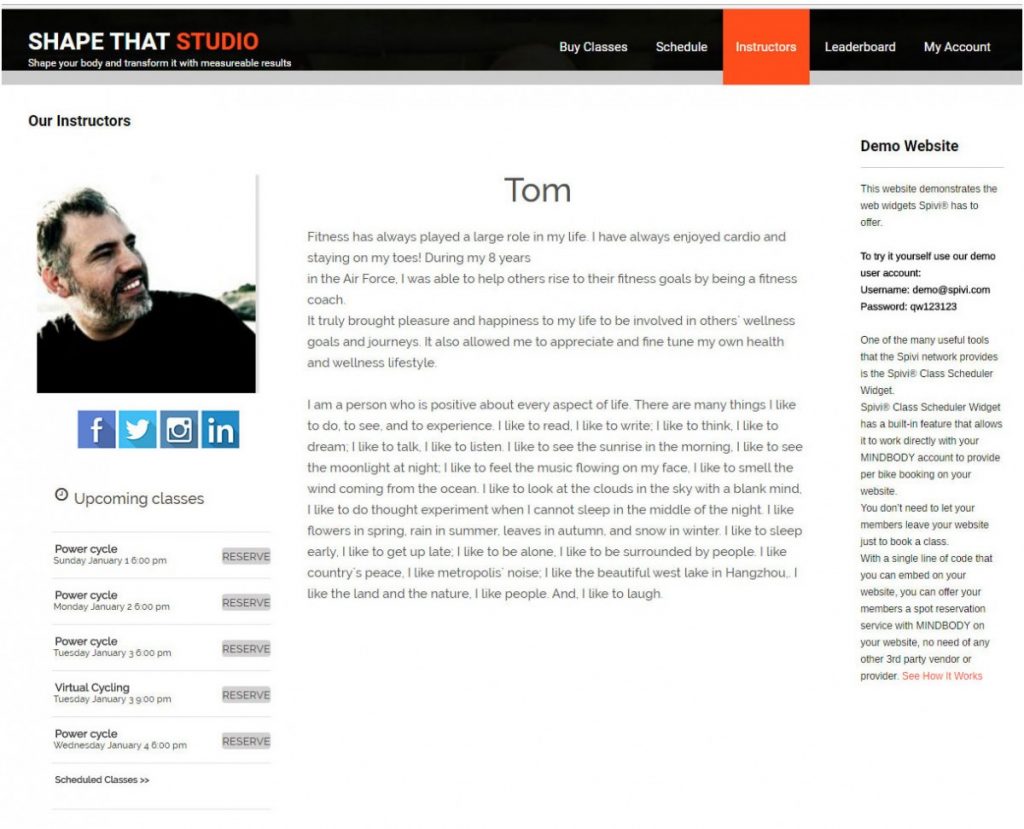
It’s easy to embed it on your website, just copy and paste a JavaScript code which you would find on the Widgets Options page inside your My Studio section on spivi.com.
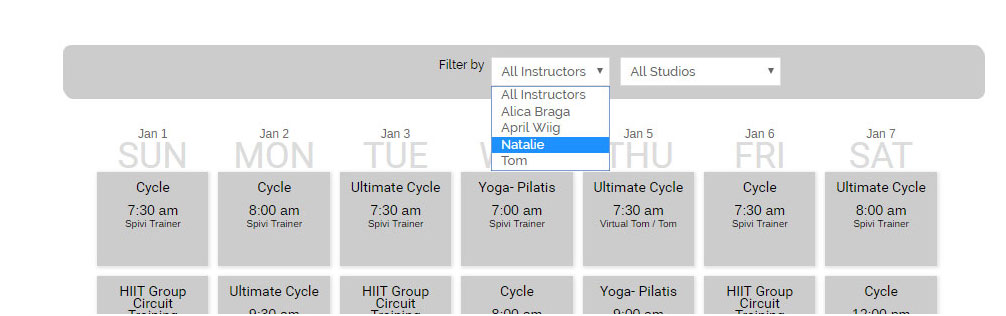
Edit your instructors bio, photos and the ways to connect with them, go to the Instructors Metadata page in your My Studio section and select the relevant options to edit. Also, check which are the instructors who should be displayed in the Instructors’ List filtering option on your class schedule page and on the Instructors page.
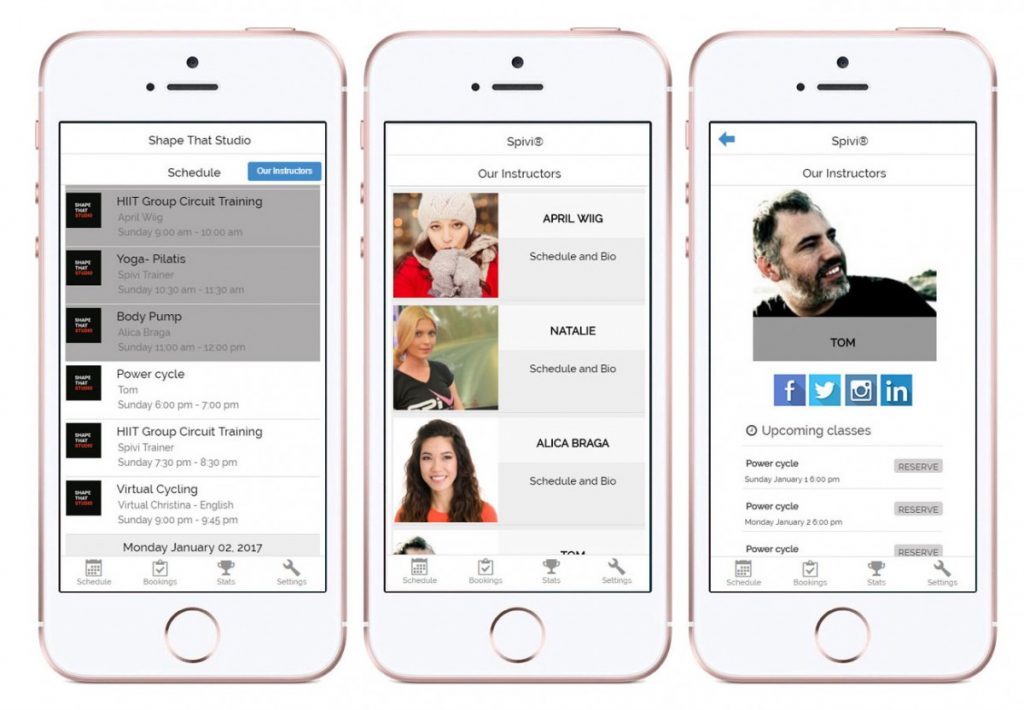
The instructors’ page is also available for mobile phones. You can also make it available on your mobile schedule page so your members would be able to click on a button, select a specific instructor and scroll down to see the always updated information about her upcoming classes.
Note: From this version you have to individually select the instructors who you want to be displayed on your schedule page. To do so visit the Instructors Metadata page.
Class Ranking
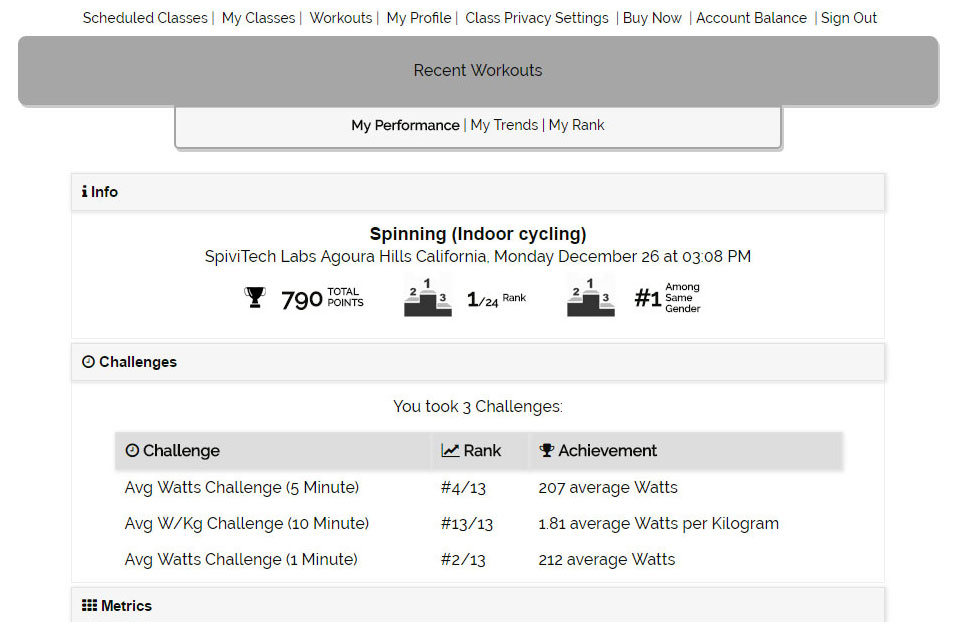
Class rank has been added to your members’ class summary reports and workouts log. There is a Class Rank for your position in class, and there’s a rank to how you were among same gender members. Ranks are calculated based on members’ relative performance done during class.

Class Challenges
Finally they are here, your members’ in-class challenges results are available for review and share.
Members can access their challenges results via their mobile phones or on your website using our mobile web-widgets.